
Product photography with a smartphone and AI: an ecommerce guide
Good product photography doesn’t need a studio or an expensive camera: a recent smartphone, a window and a simple background are enough for most products sold with cash on delivery. AI tools can then cut out, clean up or create a scene, as long as they never show anything other than the real product.
This guide explains how to get your smartphone photos right, which angles a COD product page needs, how to use AI product photography without misleading customers, and which free and paid tools to choose.
Smartphone product photography: the minimum kit
| Item | Simple solution | Why |
|---|---|---|
| Camera | A recent smartphone, clean lens | Today’s sensors are enough for the web |
| Light | A side window, no direct sun | Soft light, gentle shadows |
| Background | Curved white card or paper | No visible corner behind the product |
| Reflector | White card facing the window | Fill in the shadows |
| Stability | A small tripod or phone stand | Sharp photos and consistent framing |
The must-have angles for COD product photography
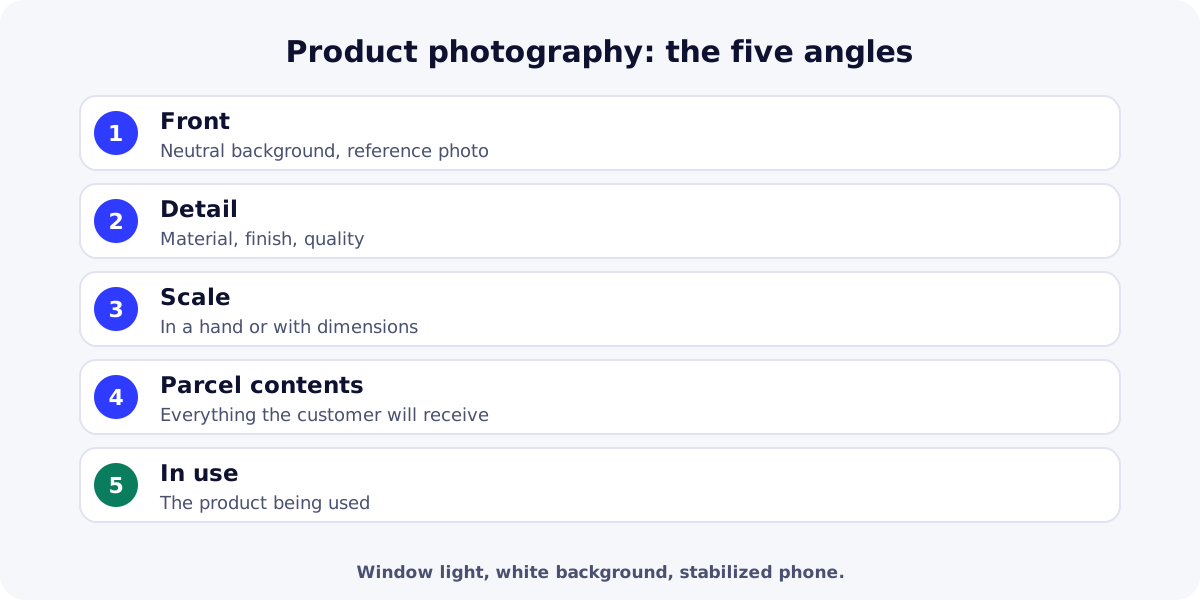
- Front, on a neutral background: the reference photo, sharp and well lit.
- Detail: material, finish, buttons, stitching, whatever reassures on quality.
- Scale: in a hand, on a familiar table, or with dimensions shown.
- Parcel contents: everything the customer will receive, no more, no less.
- In use: the product being used; often the first photo on the page and in the ad.
With COD, the parcel contents photo plays a special role: a customer who receives exactly what they saw accepts the parcel. These photos fit the structure described in our guide on how to write product descriptions.
Settings and shooting
- Turn off flash and portrait mode for reference photos; keep exposure steady.
- Shoot square or 4:5 for the mobile page and ads.
- Keep the same distance, light and background across the whole catalog.
- Take several shots per angle and keep the sharpest.
- Compress images before publishing (WebP) for a fast mobile page.
AI product photography: what helps, what’s off limits
| Use | Helpful? | Watch out for |
|---|---|---|
| Background removal and white background | Yes | Clean edges, natural shadow |
| Clean-up (dust, reflections) | Yes | Don’t alter the product itself |
| Lifestyle scene | Yes, carefully | Faithful scale and colors |
| Changing the product’s color or shape | No | The customer would receive something else |
| Generating a product that doesn’t exist | No | A misleading practice |
| Need | Free option | Paid option |
|---|---|---|
| Remove backgrounds and retouch | Photoroom (free plan)Background removal and templates; limited exports, check usage terms. | Photoroom ProFull AI features, batch processing. |
| Advanced editing | SnapseedFree mobile photo editor. | Adobe LightroomEditing and presets by subscription. |
| Compress for the web | SquooshWebP conversion in the browser. | TinyPNG (Web Pro)Batch compression. |
Summary
Effective product photography can be done on a smartphone with a window, a simple background and a stable stand, in five angles: front, detail, scale, parcel contents and in use. AI saves time on cut-outs and scenes, never on the truth about the product. For video, see our video ad guide, and to test your visuals, the product test campaign. Create your ReadyStore store to publish your photos.
Sources
- EUR-Lex — Directive 2005/29/EC on unfair commercial practices (accessed 21 October 2026)
- Photoroom — AI product photography (accessed 21 October 2026)
Frequently asked questions
How do I take good product photos with a smartphone?
Place the product by a window in indirect light, on a curved white background, with a white card to fill shadows. Stabilize the phone, turn off flash, and shoot several angles with the same framing across your catalog.
Can I use AI for product photography?
Yes, to remove backgrounds, clean up or create a lifestyle scene, as long as the product stays faithful: same color, size and contents. Altering the product or generating one that doesn’t exist misleads customers and leads to refusals and returns.
Which background is best for product photos?
A white or neutral, slightly curved background for the reference photo: it highlights the product and keeps the catalog consistent. Then add lifestyle photos in a real setting that show use and scale.
How many photos per product?
At least four or five: front, detail, scale, parcel contents and in use. Add a short video if the product demonstrates well. With COD, the parcel contents photo reduces bad surprises at the door.
Can I use the supplier’s photos?
Only if the supplier allows it, and they’re rarely enough because many sellers use the same ones. Add at least one photo of the real product you received, to check it matches and to stand out.
Related guides
How to write product descriptions that sell: a COD template
How to write product descriptions and pages that sell with cash on delivery: the structure, a template to copy, examples by product type and mistakes to avoid.
Read the guideAdvertisingUGC ad creatives: shooting video ads that sell without a studio
UGC ad creatives without a studio: formats Meta and TikTok recommend, a five-part script, smartphone shooting, creator consent and the ad rules to follow.
Read the guideStoreEcommerce landing page examples: 10 that convert with COD
Ecommerce landing page examples for cash on delivery: 10 templates that convert, the structure of a landing page, mobile speed and the mistakes to avoid.
Read the guideFast storefront
A server-rendered storefront built to load fast on mobile between the ad and the order.
Learn more
You launch the store and the ads. The center does the rest.
Create your ReadyStore store: a short COD form, Meta Pixel and Conversions API, orders and analytics in one place.